Connect a domain you own
Domains · Updated 23 November 2026 · 2 min read
Point your .com or .com.bd at your store. Your free address keeps working too.
You can sell on your own domain, like mybrand.com or shop.mybrand.com.bd. Your free store address keeps working as well.
Before you start
You need a domain bought from a domain seller, and a plan that includes a custom domain. Settings › Plan and usage shows how many custom domains your plan allows.
1. Add the domain
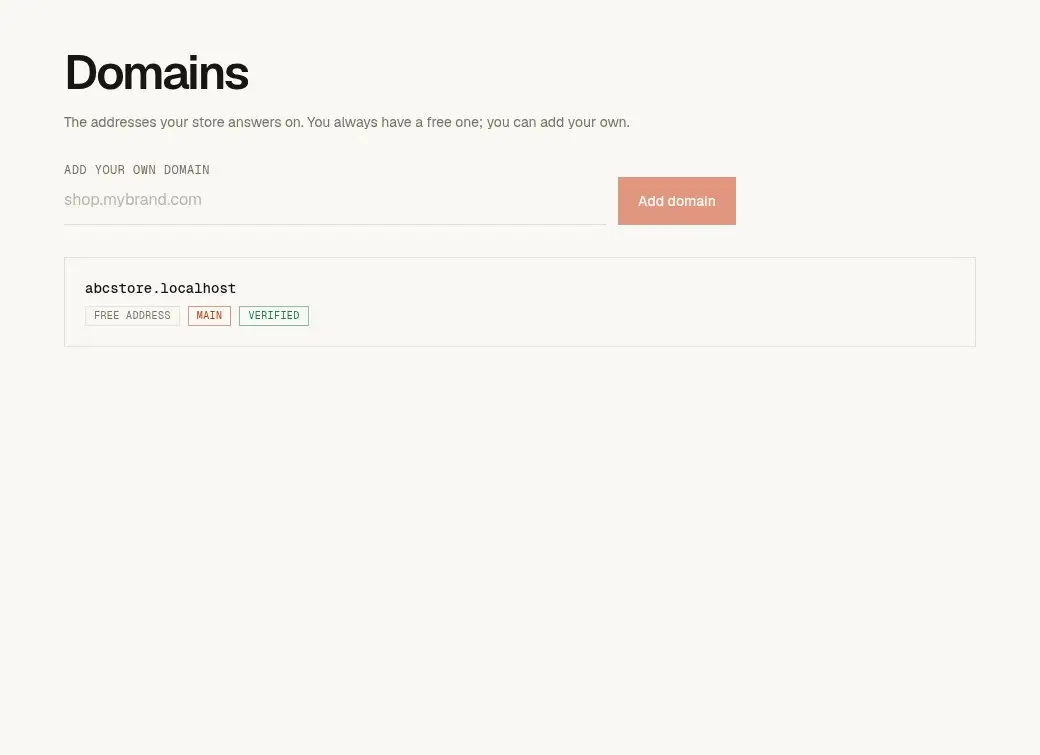
Select Settings at the bottom of the menu, then Domains.
Under Add your own domain, type the address (for example shop.mybrand.com) and select Add domain.
The domain shows with a DNS record (Type, Name, Value) that proves it's yours.
2. Add the record at your domain seller
Sign in where you bought the domain and open its DNS settings.
Add a new record with exactly the Type, Name and Value shown in LaCommerce.
Save it. DNS changes can take from a few minutes up to 48 hours to spread.
Checking is being finished
Automatic checking of the record is not switched on yet, so a new domain stays Unverified for now. Contact support once you've added the record and we'll help you finish.
3. Make it the main address
Once the domain is verified, select Make main. Links, emails and search engines then use your domain. Only a verified domain can be the main address.
Common questions
It says I'm over my plan's limit
Your plan allows fewer custom domains. Select See plans → to move to a plan with one. See Change your plan.
Can I remove a domain?
Yes, select Remove. If it was the main address, your free address becomes the main one again.