Make a landing page
Landing pages · Updated 23 November 2026 · 2 min read
A one-product sales page for a campaign, with the order form built in.
A landing page is a single page that sells one product: big pictures, the benefits, reviews, a countdown, and an order form on the same page. It's made for Facebook ads and campaigns. Orders from it are normal orders, marked Landing page.
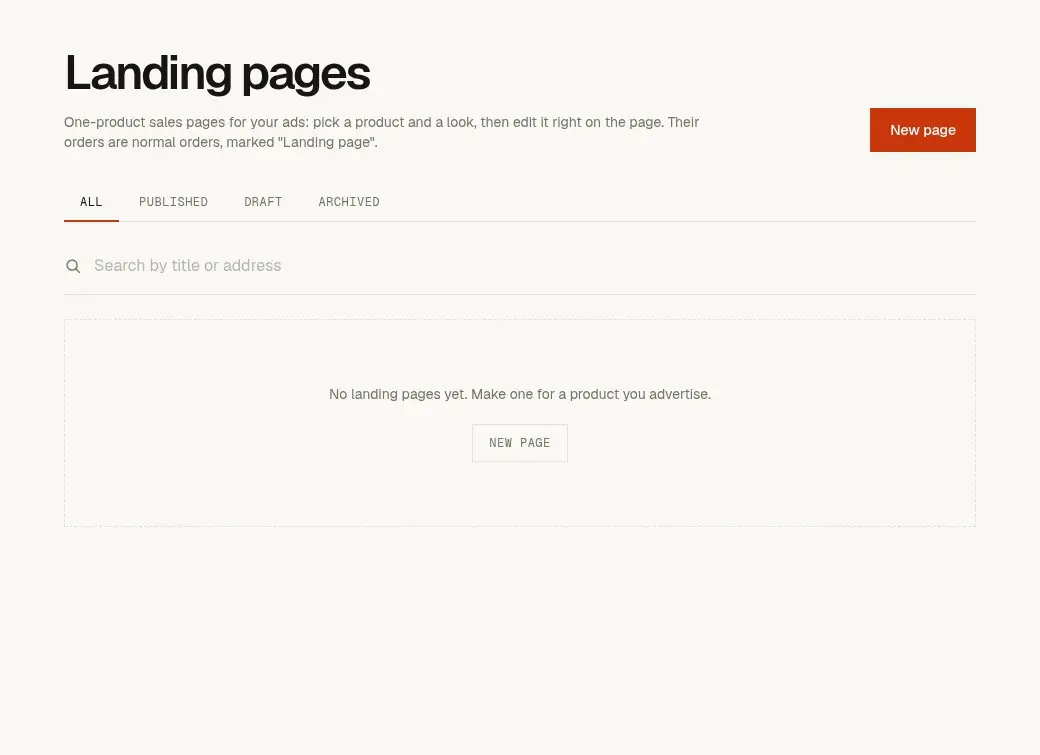
Make a page
Go to Products › Landing pages and select New page.
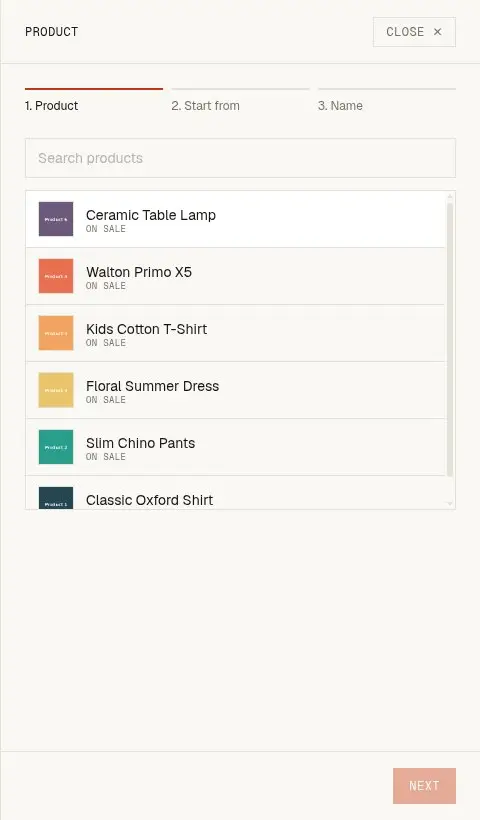
- Product: pick the product the page sells.
- Start from: a ready-made page, a blank page, or HTML you paste (for example, a design you got made).
- Name: a title and an address. They're made from the product's name if you leave them empty.
The editor opens. Click any text to change it, double-click a picture to swap it from your media library, and drag sections to move them.
Select Preview to try it, including the order form, then Publish.
Videos and countdowns
- Video: select the video and paste a normal YouTube, Facebook or Vimeo link in the Video setting.
- Countdown: turn on Countdown on a box, set its end time, and set Countdown number on each number (days, hours, minutes, seconds).
Tip: Building the page with an AI tool? Open the writing help in the editor and copy the instructions box to the end of your prompt, so the page comes out ready to paste.
After you publish
The list shows each page's views, orders, sales and conversion rate. You can duplicate a page for another product, unpublish it, or archive it when the campaign ends.
Common questions
Are landing pages limited by my plan?
No. You can make as many as you like.
Why does my slider not move?
Scripts are removed from landing pages for safety, so sliders that need JavaScript stay still. Countdowns and videos work.