Set up auto replies
Unified inbox · Updated 23 November 2026 · 2 min read
Answer “দাম কত?” and other common questions automatically.
Auto replies answer common questions in Messenger and Instagram DMs ("dam koto?", "delivery charge?") when nobody in your team answers in time. The conversation stays open and unread, so you can follow up.
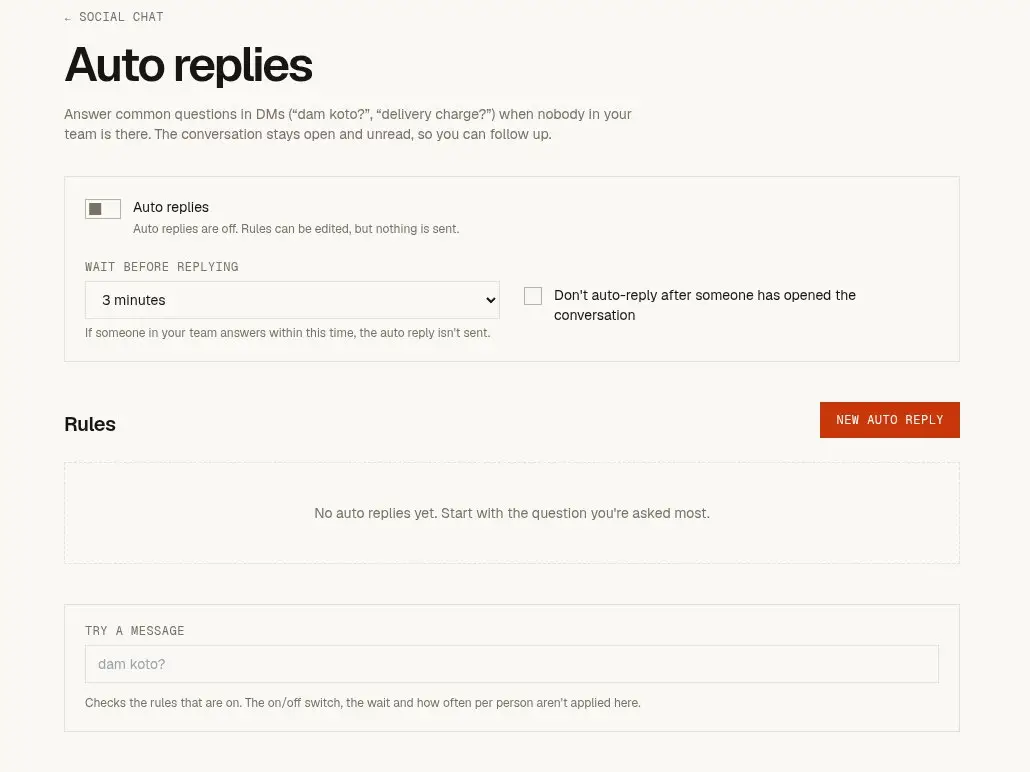
1. Turn auto replies on
Go to Social chat and open Auto replies.
Switch on Auto replies.
Choose Wait before replying (1 to 10 minutes). If someone in your team answers within this time, the auto reply isn't sent.
Tick Don't auto-reply after someone has opened the conversation if you only want it for chats nobody has seen.
2. Add a rule
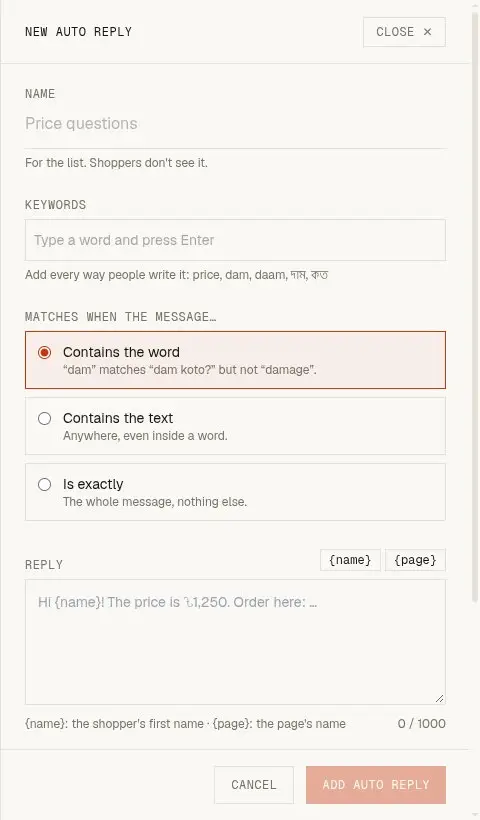
Select New auto reply.
Give it a Name (only your team sees it), like "Price questions".
Add Keywords: every way people write it, in English, Banglish and Bangla. For example: price, dam, daam, দাম, কত. Press Enter after each.
Choose how it matches: Contains the word (best for most), Contains the text, or Is exactly.
Write the Reply. Use {name} for the shopper's first name and {page} for your page's name. The preview shows how it reads.
Choose the pages it works on, and Don't repeat it to the same shopper for (for example 1 hour). Select Add auto reply.
3. Test it
Type a message in Try a message at the bottom, like "dam koto?", to see which rule would answer. When several rules match, the first in the list answers, so drag the most specific ones to the top.
When an auto reply isn't sent
Nothing is sent if someone in your team already replied, the conversation is resolved, the same rule answered this shopper within its pause, or Facebook's 24-hour reply window has closed.