Connect your Facebook page
Unified inbox · Updated 23 November 2026 · 2 min read
Bring Messenger chats, Instagram DMs and post comments into Social chat.
Social chat puts your Facebook page's Messenger chats, your Instagram DMs and the comments on your posts in one inbox, so your whole team can answer from the dashboard.
Before you start
You need to be an admin of the Facebook page. For Instagram, the account must be a professional account (Business or Creator) linked to that Facebook page.
Connect
Go to Settings › Social chat accounts (or Social chat, then Connected accounts).
Select Connect Facebook & Instagram and sign in to Facebook in the window that opens.
Tick the pages (and their Instagram accounts) you want, and allow everything Facebook asks for.
Back in LaCommerce, under Choose what to connect, tick them again and confirm.
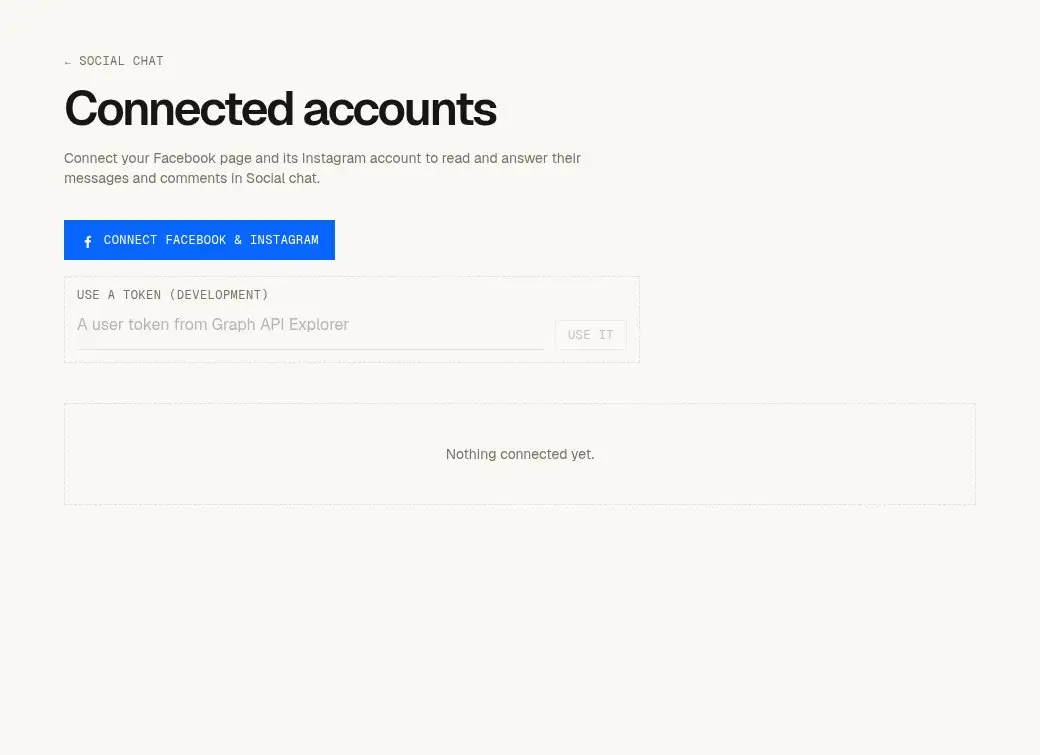
New messages and comments now arrive in Social chat. The menu shows a count of conversations with unread messages.
Instagram messages not arriving?
In the Instagram app, open message settings and, under Connected tools, allow access to messages.
Answering
- Type a reply and press Enter to send (Shift+Enter for a new line).
- Type / to pick a saved reply.
- Switch to Note for a message only your team sees.
- Assign a conversation to a teammate, and mark it resolved when it's done.
Common questions
A page says "Reconnect needed"
Facebook stopped the page's access (for example, after a password change). Select Connect Facebook & Instagram again and tick the same page.
Can I reply after 24 hours?
Facebook only allows replies within 24 hours of the customer's last message. After that, the reply box tells you the window is closed.
What happens if I disconnect?
The history is kept, but no new messages arrive and replies are off. You can connect the page again later.