Add a page
Pages, menus and blog · Updated 23 November 2026 · 1 min read
About us, delivery and return policies, and a contact page.
Pages are for everything that isn't a product: About us, delivery and return policies, terms and privacy, FAQs, and your contact page.
Make a page
Go to Pages › Pages and select New page +.
Type a Title. The Address (slug) is made from it, like /about-us.
Select Create page. The editor opens.
Add blocks: text, images, a table, an FAQ, a video, a button…
Save, then Publish. Select Preview ↗ to see it in your store.
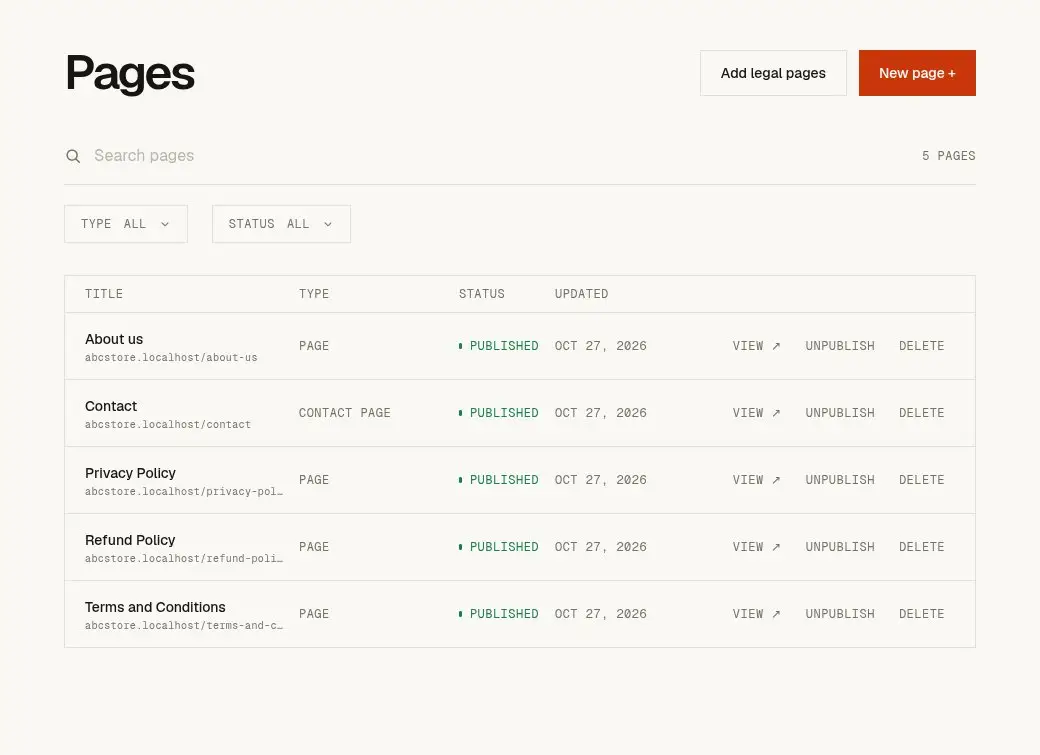
Policies in one click Select Add legal pages to create ready-written terms, privacy, refund and return pages. Read them and change them to fit your store before you publish.
The contact page
A page of type Contact page is drawn by your theme, with a contact form and your shop's phone, email and address. You only edit its title, address and search details. Messages arrive in Contact us.
Link the page
A new page isn't in your store's menu until you add it. See Edit your menus.
Changing a page's address
Old links to the page stop working. Update your menus and anywhere you shared the link.