Edit the home page
Store and themes · Updated 23 November 2026 · 1 min read
Banners, featured products and sections on your store's front page.
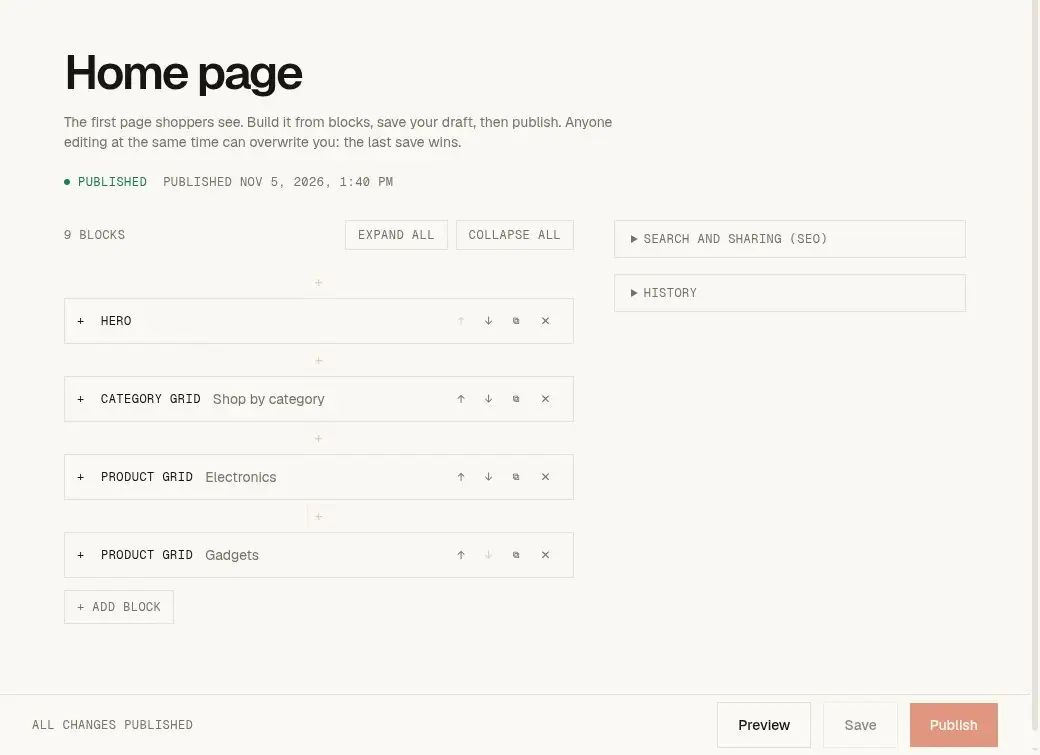
Your home page is the first page shoppers see. You build it from blocks, such as a hero banner, a category grid and product grids. Changes are saved as a draft, and shoppers see them after you publish.
Change the home page
Go to Pages › Home page.
Select a block to open it and change its text, pictures or products. Use the arrows to move a block up or down, or remove it.
To add a section, select + Add block and pick a block type.
Select Preview to see the page with your changes.
Select Save to keep your draft, then Publish when it's ready.
Search and sharing
Open Search and sharing (SEO) on the right to set the title and description Google and Facebook show for your home page.
Two people editing?
If two people edit the home page at the same time, the last save wins. Agree who edits before you start.
Tip: Made a mistake? Select Discard changes to go back to what is published, or open History to see earlier versions.