Change your theme
Store and themes · Updated 23 November 2026 · 1 min read
Switch between Starter, Modern and Classic without losing anything.
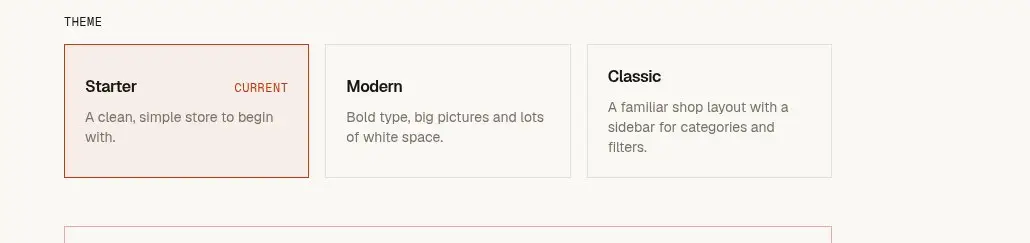
A theme is the overall layout of your storefront. LaCommerce has three: Starter (clean and simple), Modern (bold type, big pictures, lots of white space) and Classic (a familiar shop layout with a sidebar for categories and filters).
Switch the theme
Select Settings at the bottom of the menu, then General under Store.
Under Theme, select the theme you want. The one in use says Current.
Open your store to see the new look.
What stays the same
Your products, orders, customers, pages, menus and settings don't change when you switch themes. Only the layout changes.
Make it your own
After choosing a theme, change its colours, fonts, buttons and more in Pages › Customize. See Logo, colours and fonts.
Common questions
It says "The theme can't be changed right now"
You don't have permission to change the theme, or the store is read-only (for example, its plan ended). Ask the store owner, or renew the plan.