Notifications
Account and team · Updated 23 November 2026 · 1 min read
Choose which events reach you by email, besides the bell.
The bell in the top bar collects your notifications: new orders, cancelled orders, payments, courier problems, low stock, new messages and reviews, plan and balance reminders, and team changes.
Choose what emails you
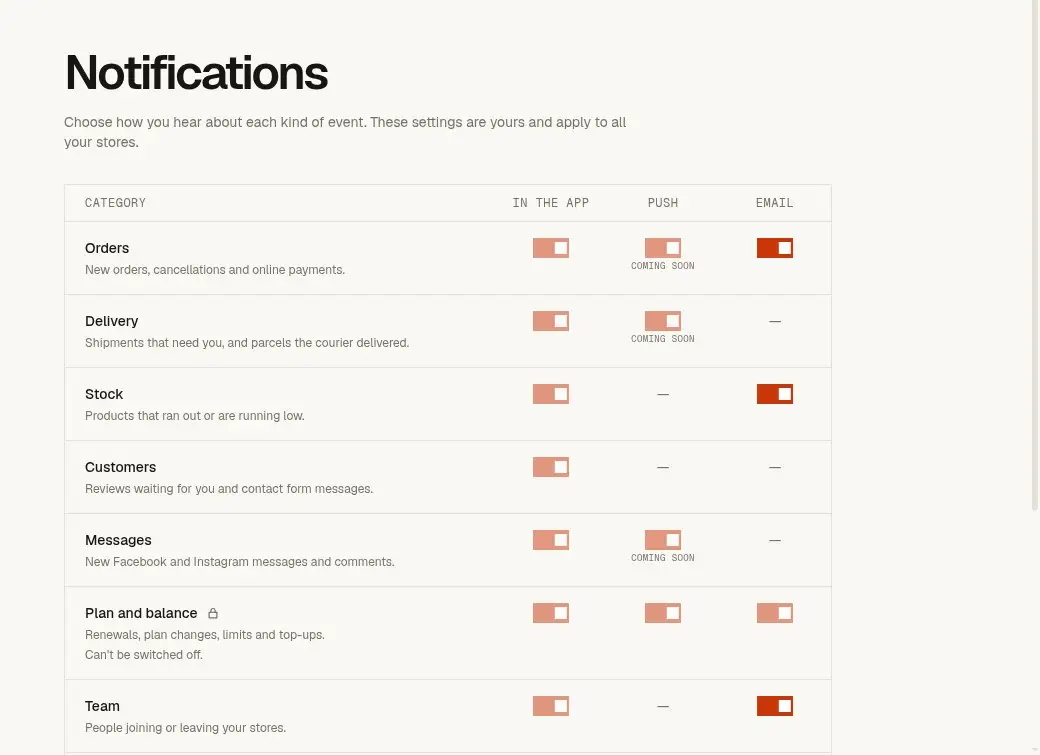
Select Settings at the bottom of the menu, then Notifications.
For each category (Orders, Delivery, Stock, Customers, Messages, Team…), switch Email on or off.
Good to know
In the app is always on: every notification stays in your bell. Some kinds, like plan and balance reminders, can't be switched off. Push notifications are coming soon. These settings are yours and apply to all your stores.